New in ESGI
New ways to turn assessment data into classroom action
Explore recent ESGI updates designed to help educators collect meaningful data, organize instruction, and give leaders a clearer view of progress.
Updates for Teachers, Specialists, School & District Leaders:
Whole Class Observational Rubrics
Student Auto Grouping
Mastery Levels
Admin Add/Delete
Whole Class Observational Rubrics
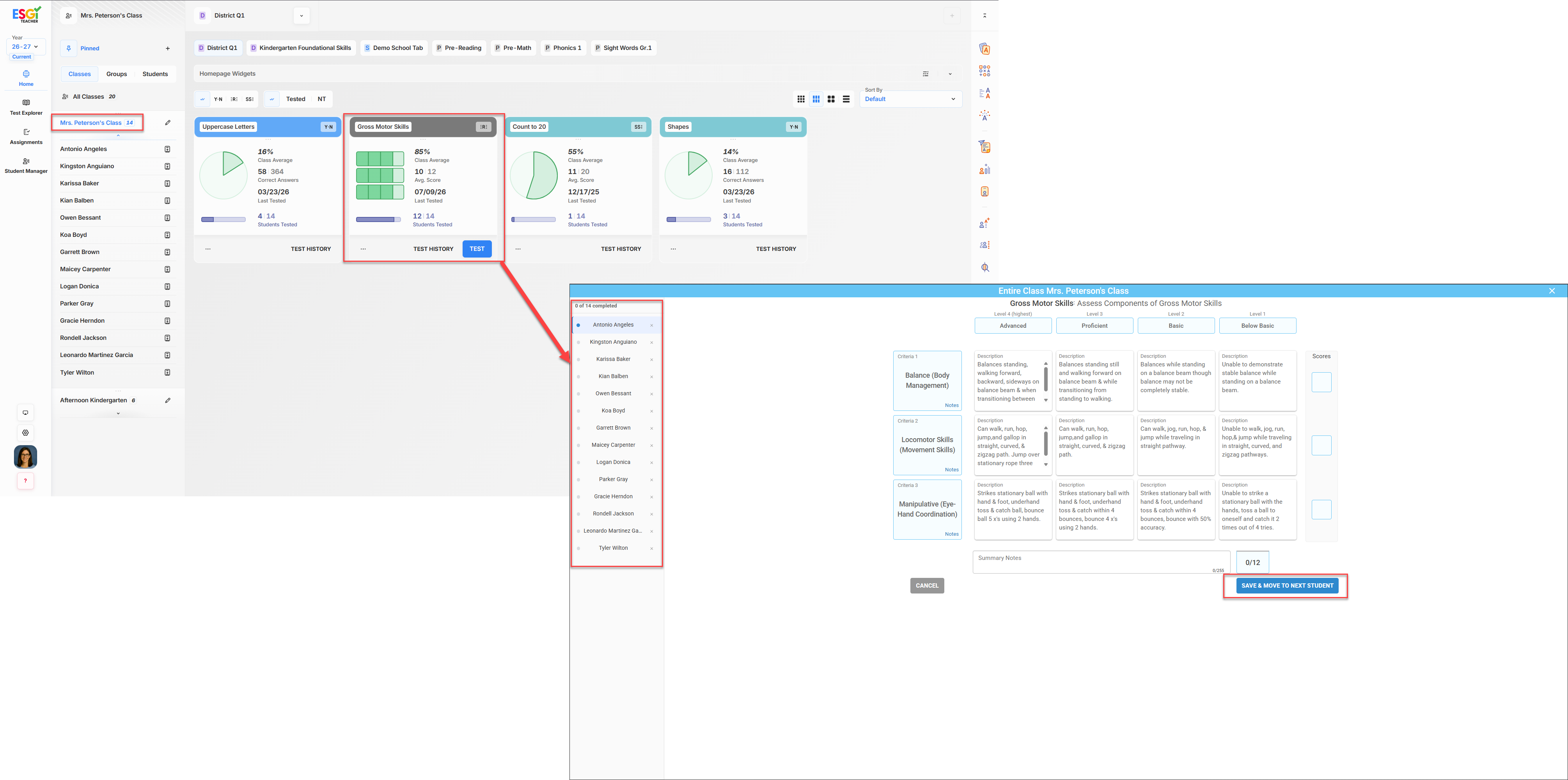
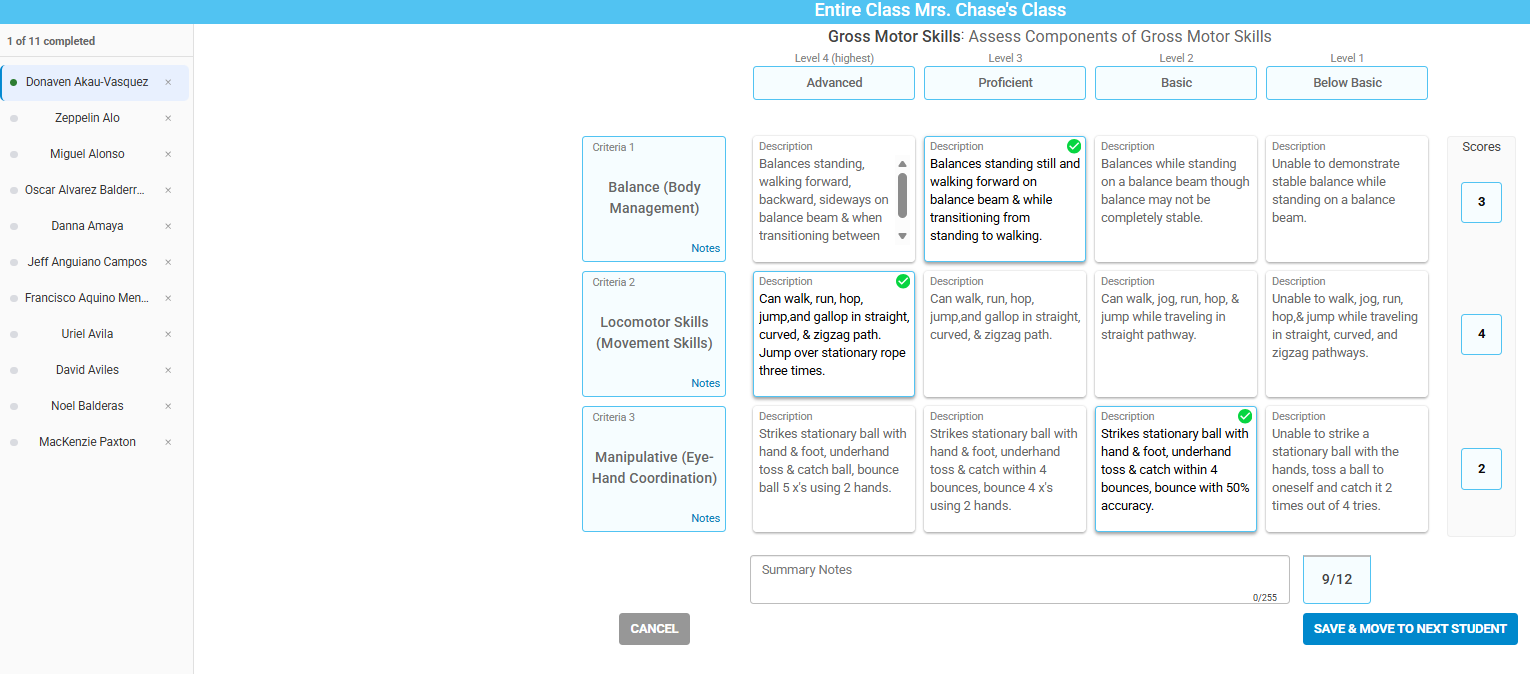
Across classrooms and grade levels, teachers can use a ready-made or custom rubric to observe a whole class or small group, moving among students in whatever order works. An at-a-glance, skill-by-skill summary helps make individual progress and group patterns easier to see and act on.
In Pre-K, teachers can document developmental skills across domains during play centers, projects, and everyday interactions - without putting a screen in front of children. Children keep learning naturally while teachers capture the progress that might otherwise be hard to see.
Teachers & Specialists
Collect ongoing classroom data across a group instead of documenting students one at a time. Use observations to keep progress visible, identify support needs, and plan instruction between formal assessment windows.
School & District Leaders
Support a fuller view of classroom progress and instructional needs over time. Use this information alongside formal assessments—it is not a replacement for a formal developmental assessment.
Student Auto Grouping
Create flexible student groups in a few steps.
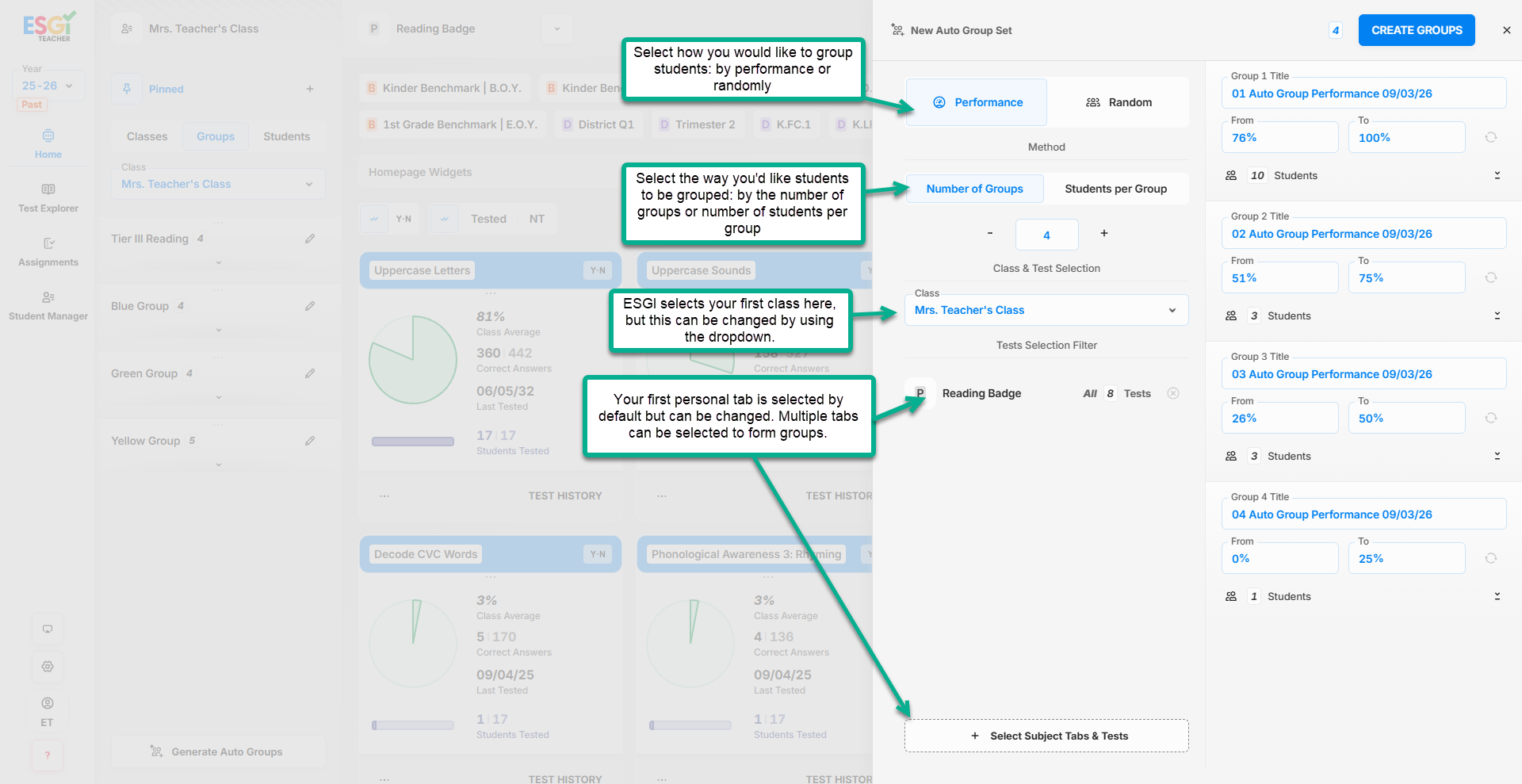
Teachers and specialists can create student groups by performance or at random. They can choose the class, select one or more subject tabs, set the number of groups or students per group, and adjust the groups after they are created.
Teachers & Specialists
Spend less time analyzing data and more time preparing for small-group instruction. Create groups using data or a random option, then move or remove students as needed.
School & District Leaders
Give educators a consistent, configurable way to organize students using available ESGI data. This supports a shared approach to planning targeted instruction across classrooms.
Mastery Levels
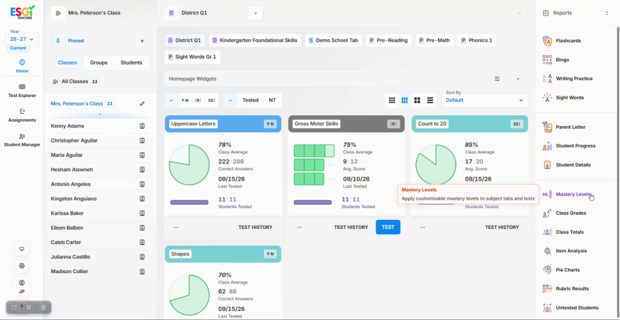
See what students have mastered and where they need support.
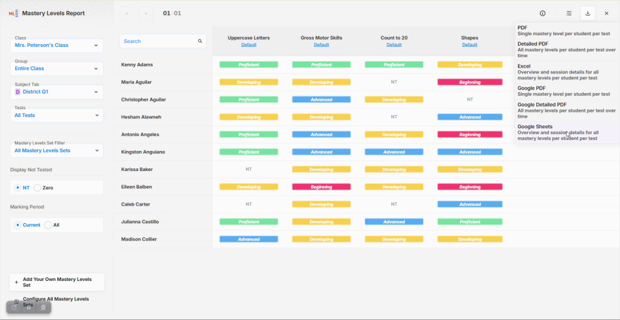
Go beyond percentages with customizable mastery levels, such as Beginning, Developing, Proficient, and Advanced. Teachers, specialists, and administrators can apply these levels to selected tests or subject tabs. The redesigned Mastery Levels Report makes it easier to see student progress, plan next steps, and share results with families and school teams.
Teachers & Specialists
Use consistent, customizable language to understand student performance beyond raw numbers alone. Apply the bands that fit your instruction and use the report to support clearer conversations about student progress.
School & District Leaders
Review performance across classes or schools using shared performance bands. Customize the language to better align team conversations and district reporting needs.
Admin Add/Delete
Manage administrator access from inside ESGI.
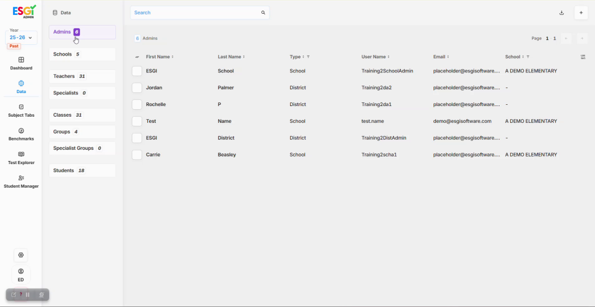
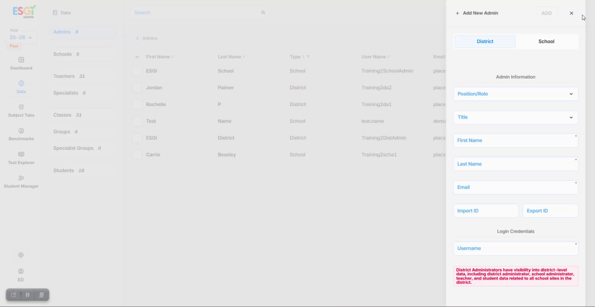
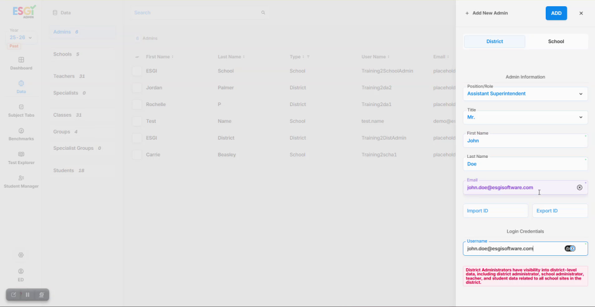
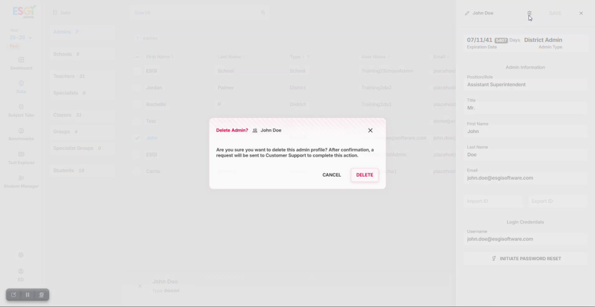
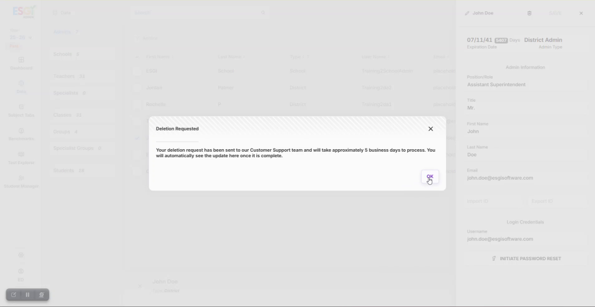
ESGI administrators can view current district or school administrators and add new administrators directly in the platform. They can also request that an administrator be removed without contacting Customer Success to initiate the request.
Teachers & Specialists
With access granted to administrators faster, more time can be spent supporting teachers and specialists.
School & District Leaders
View administrator information, add district- or school-level administrators, and request administrator removal from one place inside ESGI. Additions are immediate; removal requests are completed by Customer Success and typically take about five business days.