
On certain computers, when you select to create your Woodcock-Johnson V (WJ V) Score Report using PDF option, then download it, the report may expand and cut off some of the scores/report. A way around this is to keep the report format as Webpage (HTML).
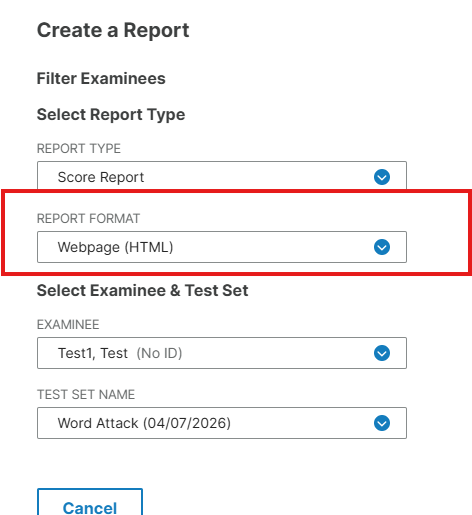
After the report generates as a webpage, click on the "Print" button at the top of the page, instead of the "Download" button.
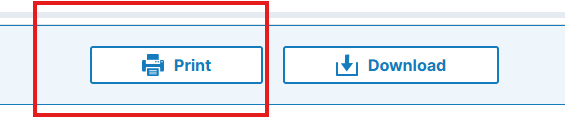
You will go to the top right of the screen where you see the print icon and click that.

On the destination change it from a regular printer to "Save as PDF" and click save.
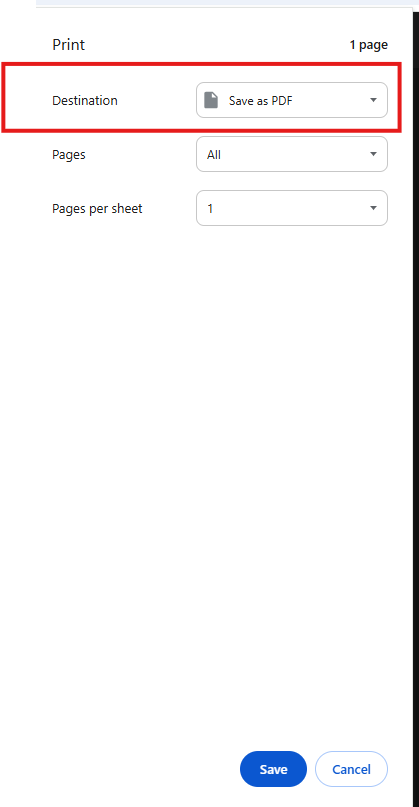
Once you click save it will pop up to give you a folder to save in. Then you can download it as normal and it will be a PDF and nothing will be cutoff.