
To set up building levels:
1. Sign in to https://www.riversidescore.com and select Woodcock-Muñoz Language Survey III (WMLS III) as your product. A Building Level Reporting Setup prompt appears.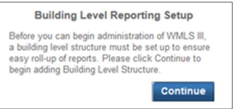
Note: This screen only appears once to the account holder appointed to set up the building levels
2. Click Continue. The Add Building Level page appears.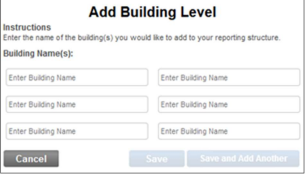
3. Type the names of the buildings to use for organizational reporting.
Note: In addition to entering established building or location names, you can add a building for independent practitioners who are not affiliated with any building. Name this building accordingly.
4. Save the building level setup using one of the following options:
- After you enter all building names, click Save.
- If you need more than six buildings, click Save and Add Another until all building names are entered, and then click Save.