
Deactivate Staff
This article applies to BDI-3.
To deactivate a staff member: 1. On the menu, under Staff Administration, click Search/Edit Staff. 2. Search for the staff member and click the pencil icon under Actions to open their profile. 3. Click Inactive under Status. 4. Click Save.
To deactivate staff:
On the menu under Staff Administration, click Search/Edit Staff, then search for staff, click pencil under actions to make edits.
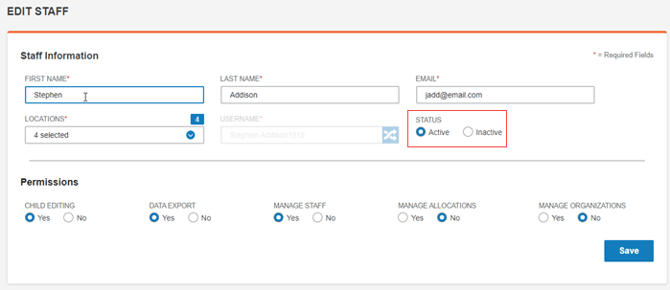
2. Click Inactive under Status.
3. Click Save.
The staff member is deactivated.