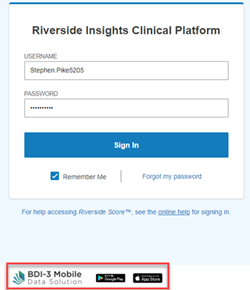
To download the Battelle Developmental Inventory, 3rd Edition (BDI-3) Mobile Data Solution (MDS) app: 1. Go to the Riverside Score sign-in page. 2. At the bottom of the page, click the Apple App Store icon to download the iOS app, the Google Play icon to download the Android app, or the Microsoft Store icon to download the Windows app. 3. Install the app from the store page and open it to sign in with your Riverside Score credentials.
Click one of the icons here to download the app.


To download the Mobile Data Solution from the Sign In page:
At the bottom of the Sign In page, click one of the icons.