
How to Fix Issues Typing an Examinees Full Name in Reports
If the system doesnt recognize an examinees full name when creating a report, follow these troubleshooting steps to resolve the issue.
-
Avoid Typing the Full Name
-
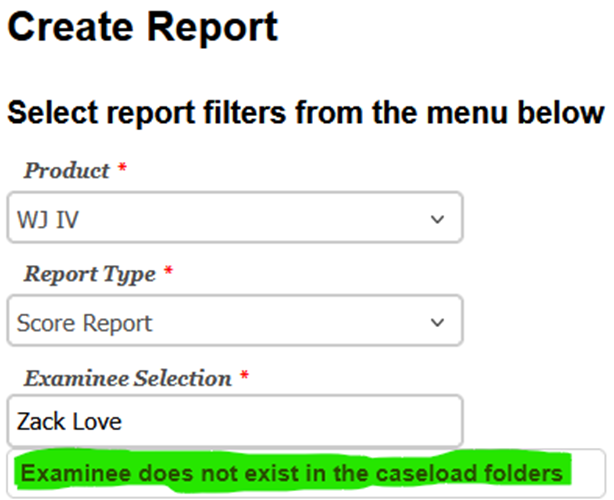
Do not type the examinees full name into the Create Report Name field.
-
Entering the full name will result in an error.
-
-
Type Only the First or Last Name
-
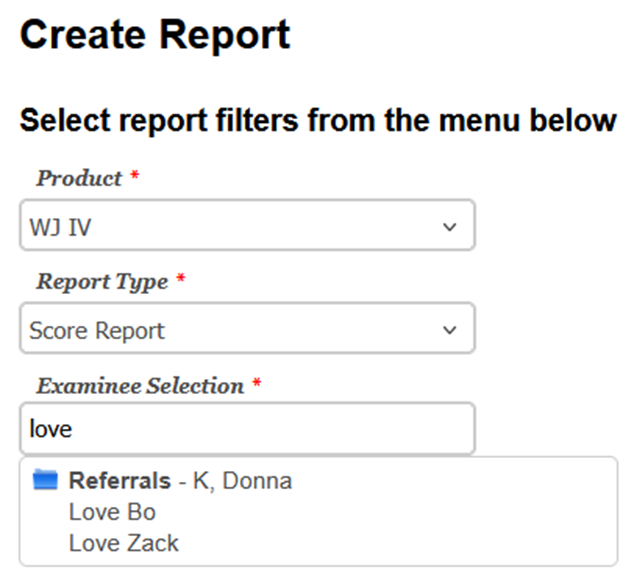
Enter just the first name or last name of the examinee.
-
Riverside Score will automatically fill in the rest of the name.
-
-
Select the Correct Name
-
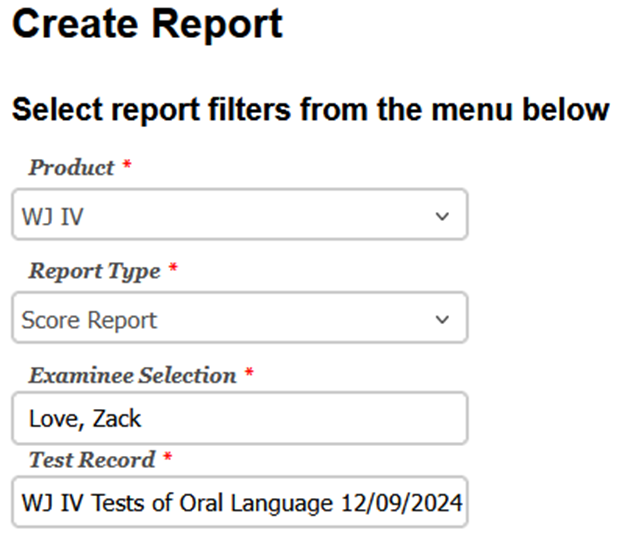
Click on the examinees name from the dropdown list that appears.
-
The name will automatically populate in the field, and the Test Record will appear as well.
-
Tips for Avoiding Errors
-
Use partial names instead of full names to prevent search errors.
-
Ensure the name is spelled correctly for the system to recognize it.
-
If the examinees name still doesnt appear, verify their information in the system database.
