
1. Sign In to Riverside Score
Begin by signing into your Riverside Score account.
2. Accessing Subscription Details
In the upper-right corner of your screen, you will see Subscription Details.
Select this option to open the subscription page. This page provides an overview of your organization’s WJ V subscription status and usage.

Understanding Your Subscription Model
There are two subscription models in the WJ V platform:
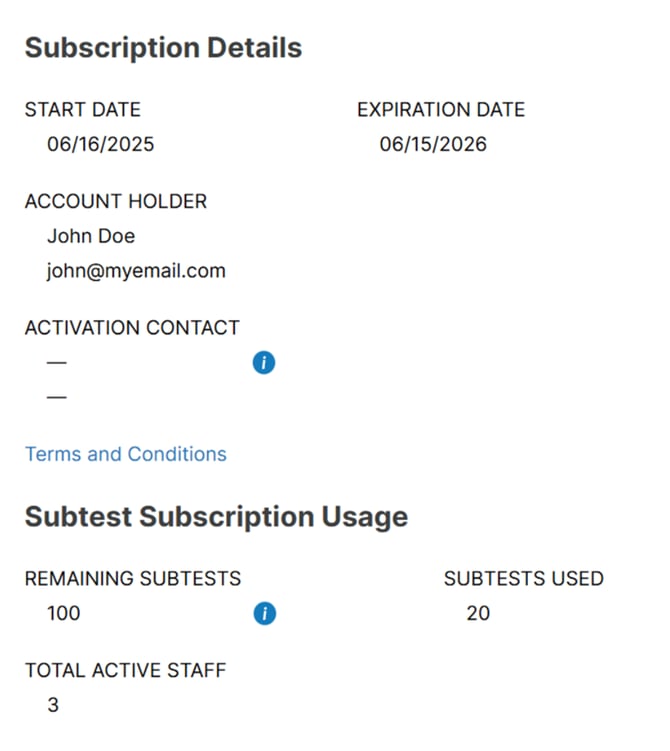
a. Subtest Model
If your account uses the subtest-based model, you will see:
- The remaining subtests available in your subscription
- The total used subtests so far
This allows you to monitor usage and ensure your organization has enough subtests for upcoming administrations.
b. Unlimited Model
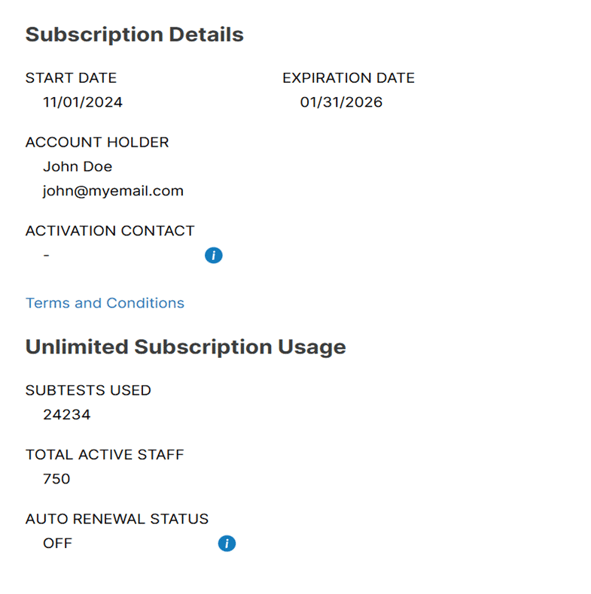
If your subscription is unlimited, you will not see a “remaining” balance.
Instead, this section will display:
- The number of subtests used historically
- The Auto-Renewal status (set to On or Off)
This helps you keep track of usage trends and confirm whether your subscription renews automatically.
Subscription Timeframe Information
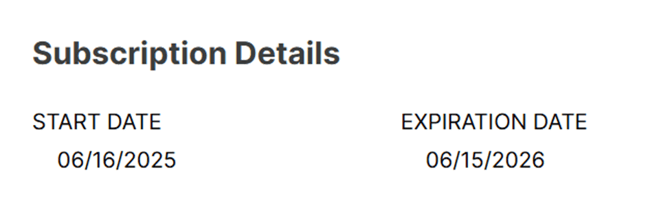
Within the Subscription Details page, you can also view:
- The Start Date of your subscription
- The Expiration Date of your WJ V subscription
These dates help you confirm whether your subscription is active and when it is scheduled to renew or expire.
⚠️ Important Notes
- If your subscription is expiring soon, Riverside Score will display notifications prompting renewal.
- Only users with the appropriate account-level permissions can view subscription information.
- If your subscription does not appear or seems incorrect, your Account Holder may need to review access rights or contact support for verification.
- Subtest counts update immediately after a test is submitted, not while it is still In Progress.