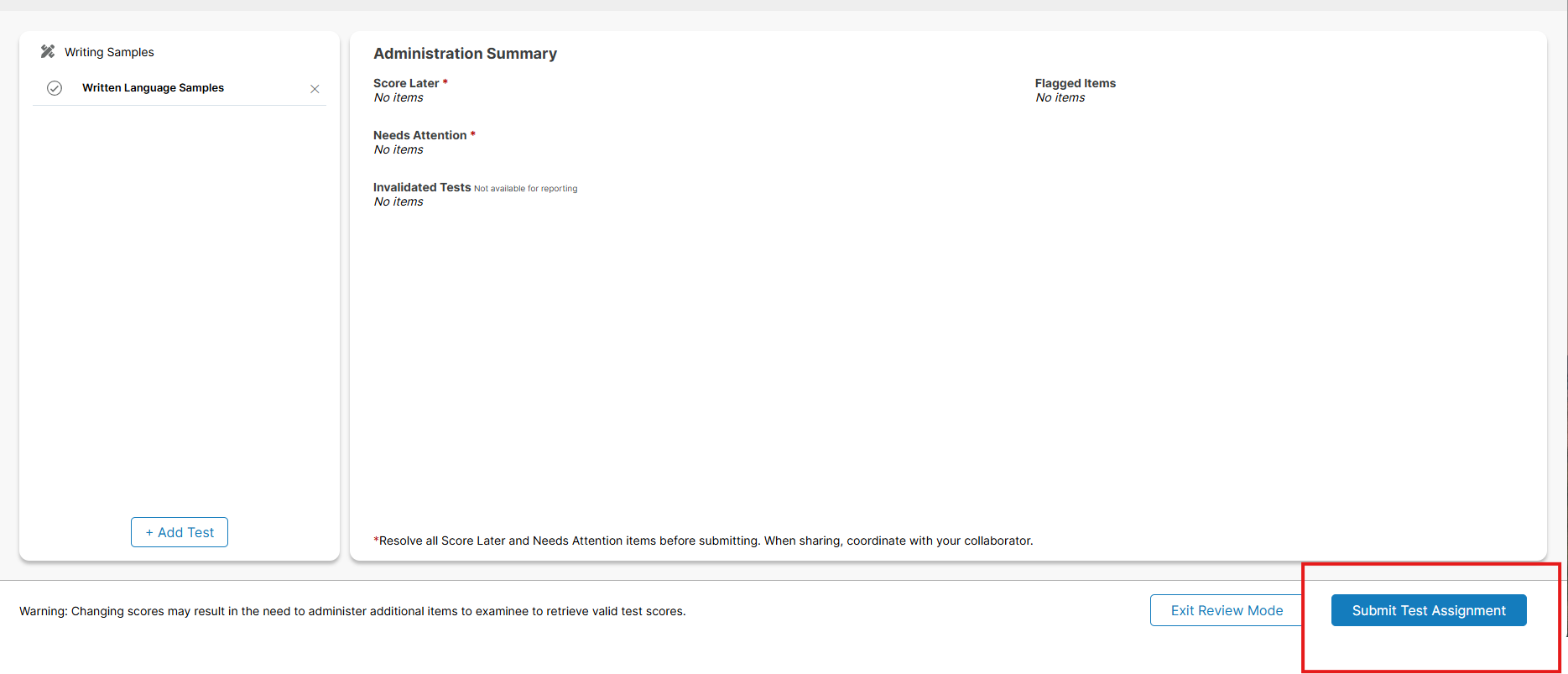
If you have a test in progress you need to submit you can either find your test from the dashboard or examinee dashboard.
If you see your test in progress on the dashboard you can just simply click on the test
If your test is not on the dashboard. You can go to examinees at the top and then search for the examinee name. You will come up to this screen, here you will just simply click on the test to open it. 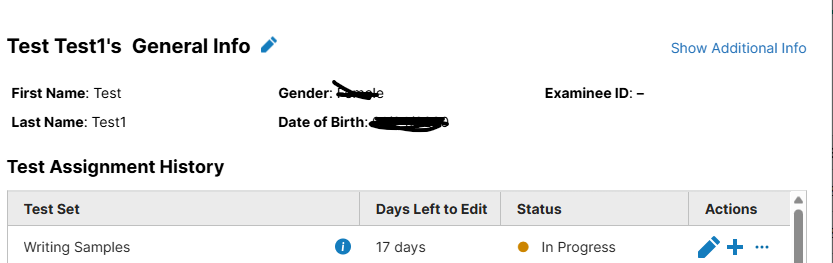
Once you have the test open you will go into review mode. 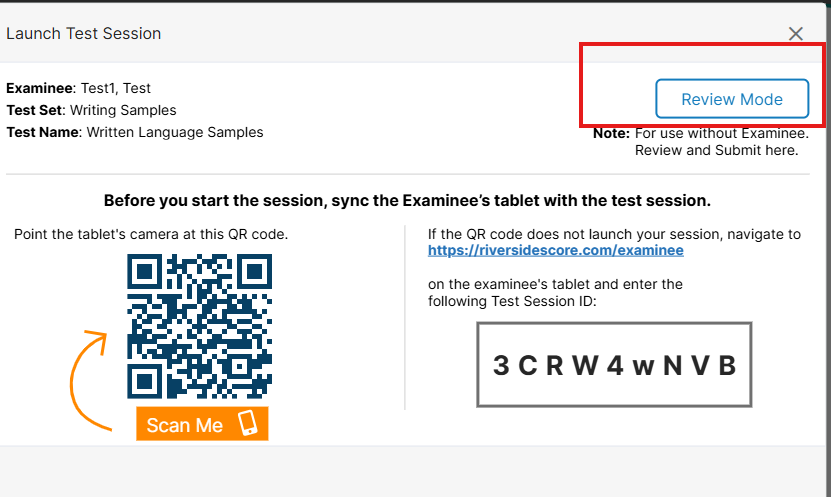
Once in review mode in the bottom right hand corner there will be a submit test assignment button. You will just need to click on submit and then it will submit and you can generate your report. If for some reason the button is not blue go into administration mode and see if you need to end the test then go to try again to submit.