If you started a test and decided you didn't want to administer a subtest. There are a couple ways to remove it. You can do this in review mode or administration mode.
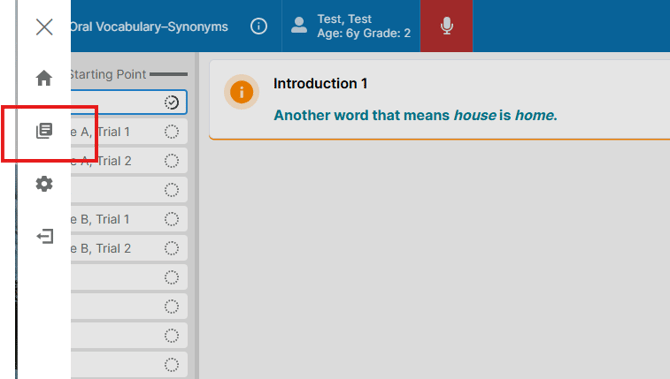
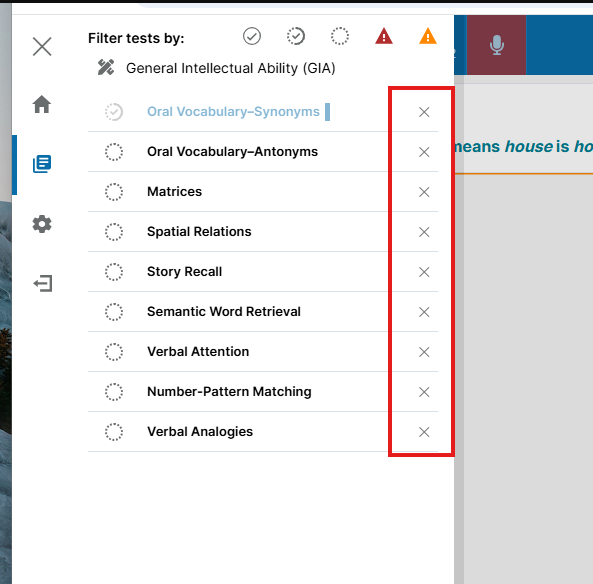
In administration mode you will log in like normal to the test. Once in it you will click on the 3 lines at the top left and then click on the Icon that is a piece of paper. Once there you will see a list of all of your subtests. Here you have the option to hit the X button to remove it from the test itself.
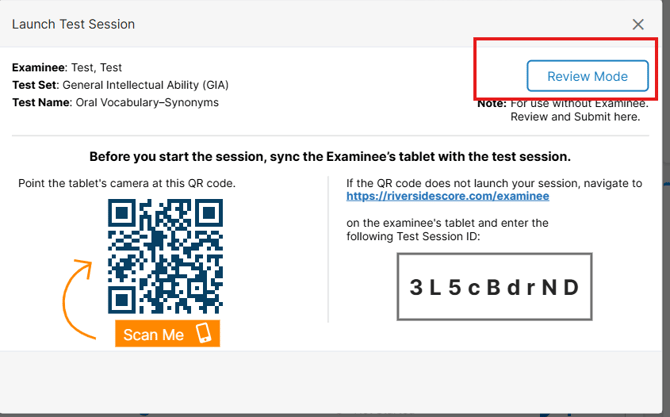
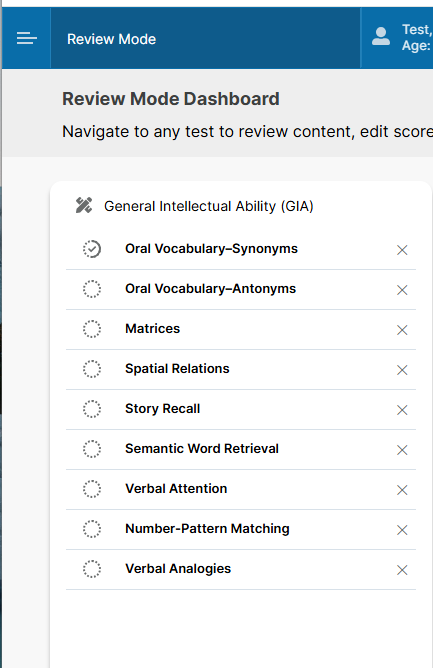
In Review mode it is easier, once you log in instead of scanning the QR code you will just hit review mode. Then it will bring you to this page and here you can delete the test you want by hitting the X.