
1. Sign In to Riverside Score
Start by signing into your Riverside Score account.
2. Go to the Reports Tab
Click on the Reports tab at the top of the screen.

3. Begin Creating a Report
Select Create a Report to open the report setup page.

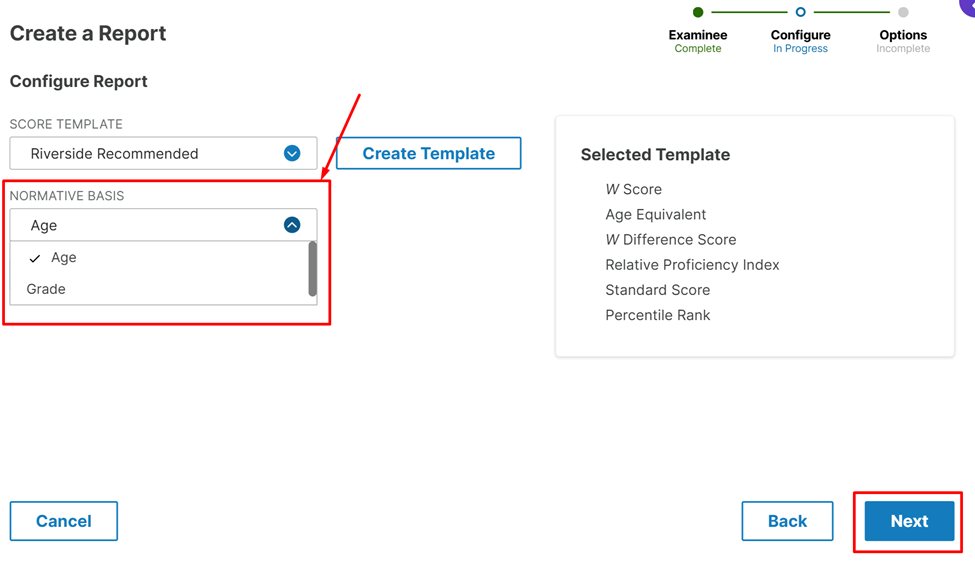
4. Locate the Normative Basis Option
On the report creation page you will first select your examinee and report type. On the next page, look for a configuration option labeled Normative Basis.
5. Select Age or Grade
Choose the desired basis:
- Age → if you want scores referenced by the examinee’s age
- Grade → if you want scores referenced by the examinee’s grade level
You can switch between Age and Grade depending on what is most appropriate for the report.
6. Save Your Settings
Once you finish configuring your report options, click the Save button in the bottom-right corner.