
If you want to sync your Test Record from the MDS.
1. First make sure to commit the test record you will need to be connected to Wifi.
2. Once the wifi is connected and you have committed the test, you will click on the 2 arrows at the top of the MDS.
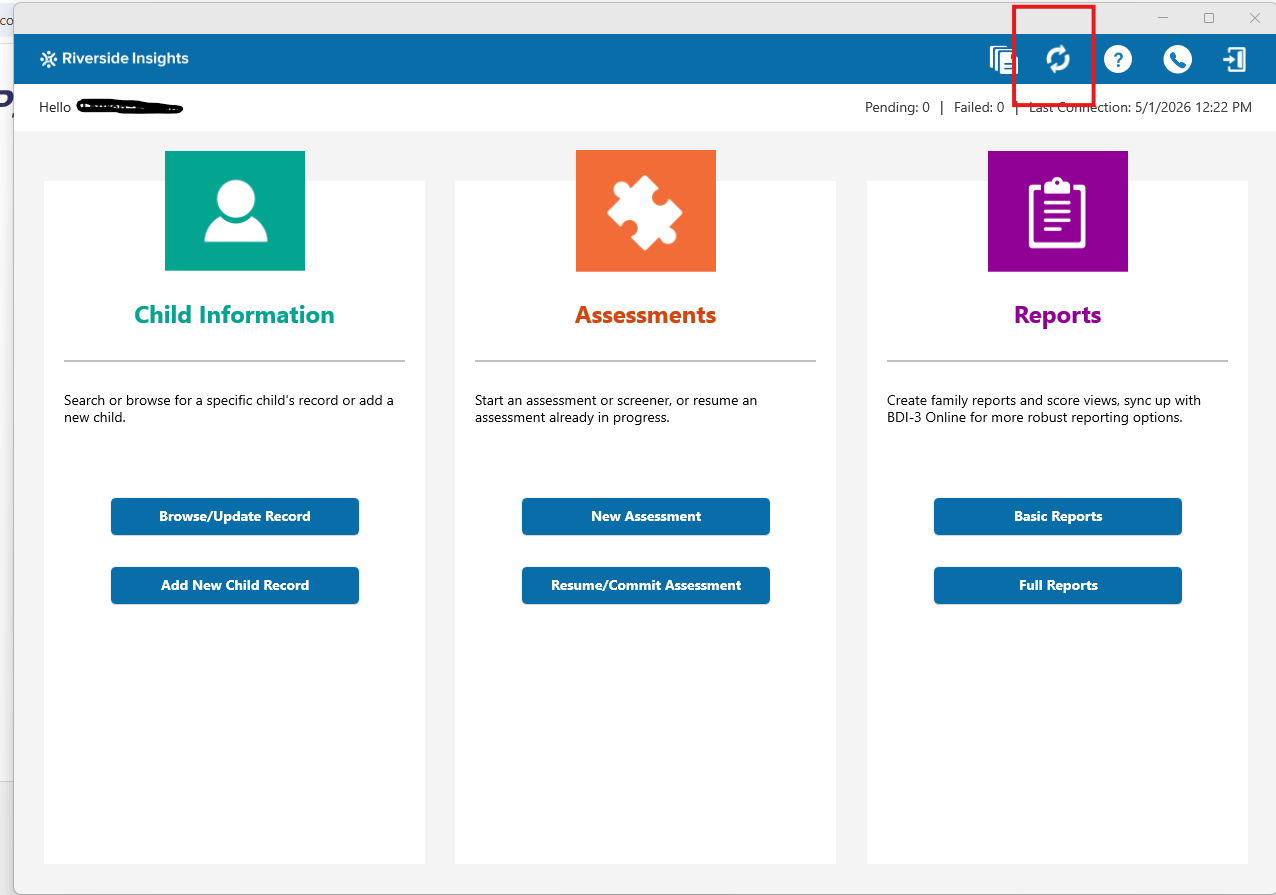
3. Once you have hit sync it should take a few seconds and then it should sync to Riverside Score.
-Note: Once you have synced, It will disappear from the MDS but will be available in Riverside Score
4. You will then log in to Riverside Score and you can find your committed test record and examinee by searching for the student. You can also find in the reports tab the examinee and test record so you can run your report.