
Search/Edit staff
To search and edit staff:
1. On the menu under Staff Administration, click Search/Edit Staff.
The Search/Edit Staff page opens.
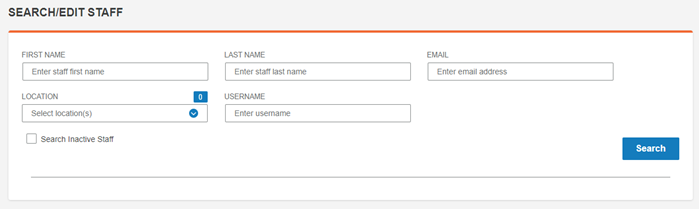
2. Enter the search criteria and click Search.
The search results are listed.

3. Click the name or the edit icon in the Actions column for the staff member to be edited.
The Edit Staff page opens.
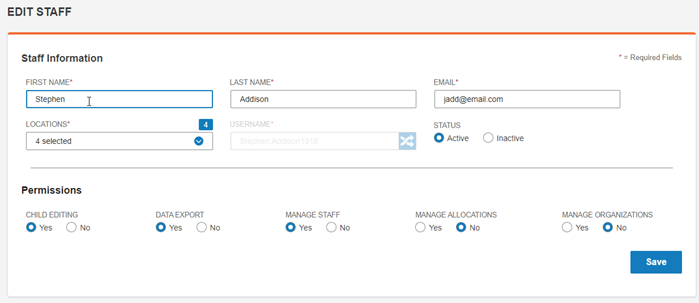
4. Make any changes to the information and click Save.
Note: You can not change the user name.