
Set and reset your password
If you forgot your password, you can reset it from the Sign In page.
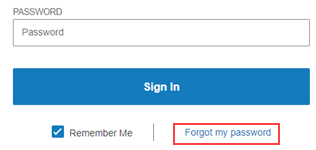
To reset you password:
1. On the Sign In page, type your username in the Username field.
2. Click Forgot my password. The Forgot Password message appears.
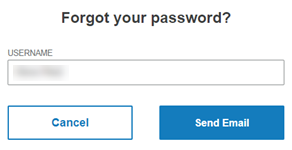
3. Click Send Email. The Sent Email message appears.
4. Open the email from riversidescore@clinical.riverside-insights.com
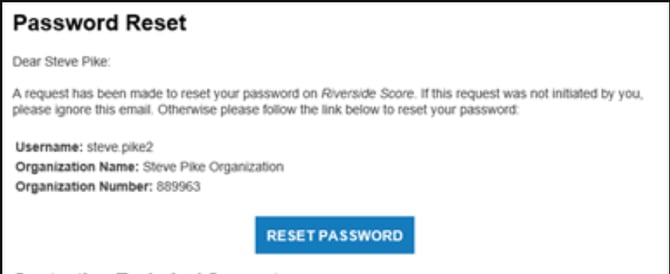
5. Click Reset Password. The Reset Your Password page opens.
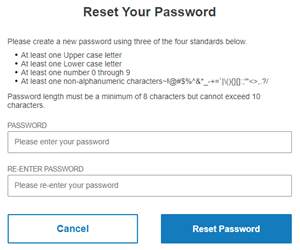
6. Type your new password in the Password field, following the requirements on the page.
7. Type the password in the Re-Enter Password field.
8. Click Reset Password. If the password meets the requirements and was entered in both fields correctly, you are signed in to the platform.