
To find a location:
-
On the Organization Management menu select Locations.
-
Click the Organization tab.
-
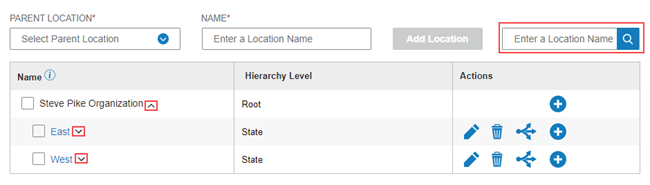
In the Enter a Location Name field, type some or all the location name.
-
Click the Search icon
 . Matching locations are highlighted.
To expand locations:
When you open the Organization tab, only the root level appears in the Name column.
-
Click the down arrow by the name to expand to the next level.
-
Click the up arrow to contract the levels.