
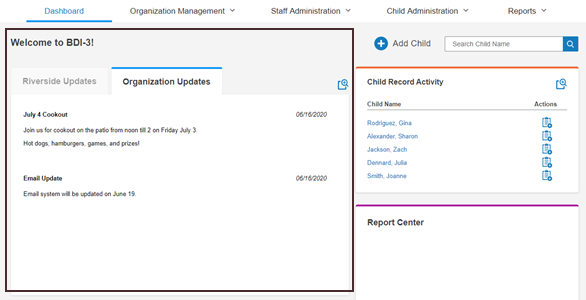
To add a dashboard message in BDI-3:
- Open the Dashboard.
- On the Organization Management menu, select Messages Overview.
- Click Add Message.
- Enter the message title and the message details you want users to see on the dashboard.
- Select the start date and end date for when the message should appear.
- Choose whether the message will display as a Riverside Update or an Organization Update, if applicable.
- Click Save.