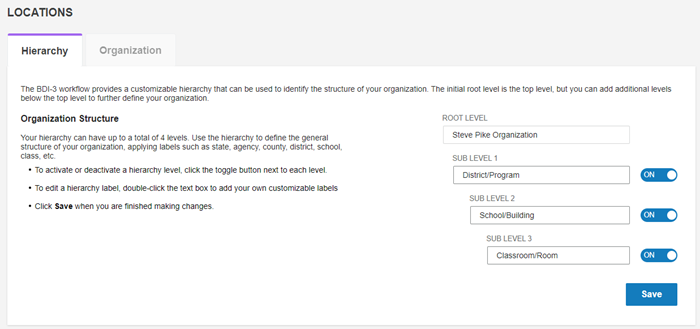
Hierarchy - The hierarchy defines the levels of your organization. There is one "root" level. You can name up to three sublevels.
Organization - The organization is comprised of the actual locations that you place in the hierarchy you set up.
Uses of Locations in BDI-3 and Testing
Locations are used for child and staff records and for reporting.
-
Child Records - A child record is assigned to a single location.
-
Staff Records - Staff records can have access to one or multiple locations.
-
Test Record Form Allocation - Staff that has allocation privileges can allocate test record forms to the locations to which he or she has access.
-
Reporting - Reports can be run for one or more locations.
To access the Locations page:
On the Organization Management menu, click Locations.