
Merge record forms
If parts of a test record form are administered separately, you can merge two or more records into one.
In the example below, the BDI-3 Developmental Record Form has been committed twice.
To merge record forms:
1. Open the Child Information Page
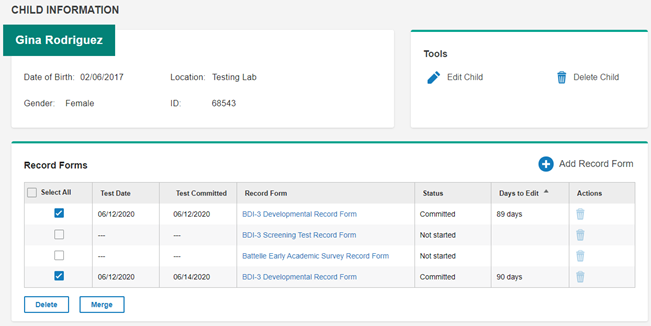
2. In the Select All column, select the record forms to be merged.
3. Click Merge. The Merge Record Forms window opens.
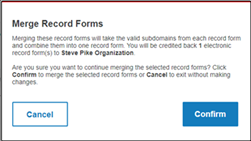
Note: By merging the two committed records, one record will be returned to Available records on the Allocations page.
4. Click Confirm. The Merge Successful window opens.
5. Click OK. The records are merged.