
To edit a message:
1. On the Organization Management menu, Manage Messages.
The Message Management page opens.
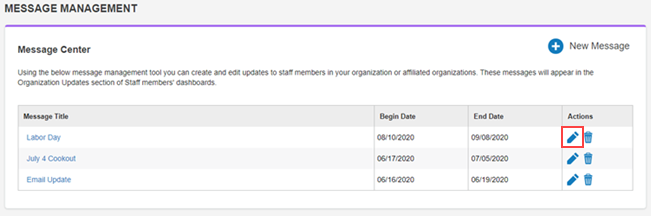
2. In the Actions column for the message, click the edit icon.
The Message Editor page opens.
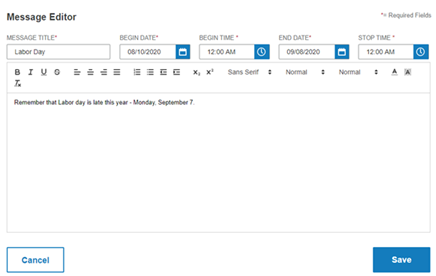
3. Make any changes to the message or the fields or the message:
-
Message Title - The title will appear above the message
-
Begin Date - The date the message should start appearing
-
Begin Time - The time on the date the message will start appearing
-
End Date - The date to stop displaying the message
-
Stop Time - The time to stop displaying the message
4. Click Save.
The message is updated.