
Delete record forms
To delete record forms:
1. Open the Child Information Page
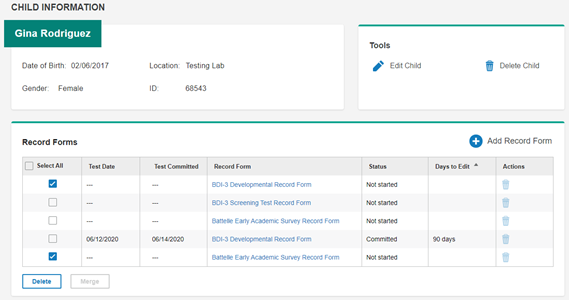
Note: In this example, two test records have been checked. The Delete button at the bottom left is active when any test records have been checked in this column.
2. Delete one or multiple records.
-Click the Delete icon in the Actions column for the record you want to delete.
-Select one or more records in the Select All column and click Delete at the lower left of the page.
The confirmation message opens.
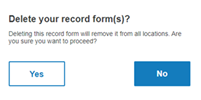
3. Click Yes to delete the records. Click No to exit without deleting. The records are deleted.