
To add a message:
1. On the Organization Management menu, Manage Messages.
The Message Management page opens.
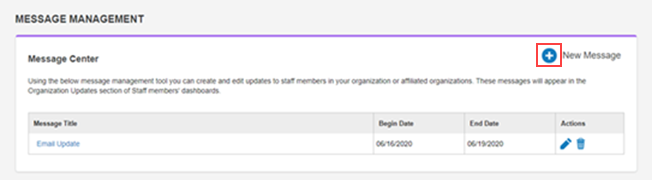
2. Click the New Message icon.
The Message Editor page opens.
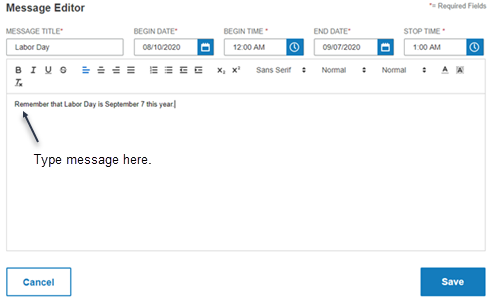
3. Complete the fields:
-
Message Title - The title will appear above the message
-
Begin Date - The date the message should start appearing
-
Begin Time - The time on the date the message will start appearing
-
End Date - The date to stop displaying the message
-
Stop Time - The time to stop displaying the message
4. Type the message.
Note: You can use the formatting tools above the text entry area to change the look of the message,
5. Click Save.
The message is added to the list of messages on the Manage Messages page. It will appear on the dashboard on the dates specified.